AI technology is no longer exclusive to developers, researchers, or tech firms. In 2026, beginners can access powerful AI tools completely free with full access to highly functional AI software tools and applications, completely for free. AI technology has evolved to become readily available for use in any area, from writing, graphic design, coding, video editing, business automation, studies, and any content creation.
Whether you want to start a blog, create YouTube videos, improve productivity, or automate tasks, free AI tools make the process easier. The best free AI tools for beginners in 2026 make it easier to write content, design graphics, edit videos, learn coding, and improve productivity without advanced technical skills.
This guide introduces the most useful and popular free AI tools in 2026, as well as their features and advantages.
AI tools now help beginners create content, design graphics, edit videos, and automate tasks more efficiently than ever before.
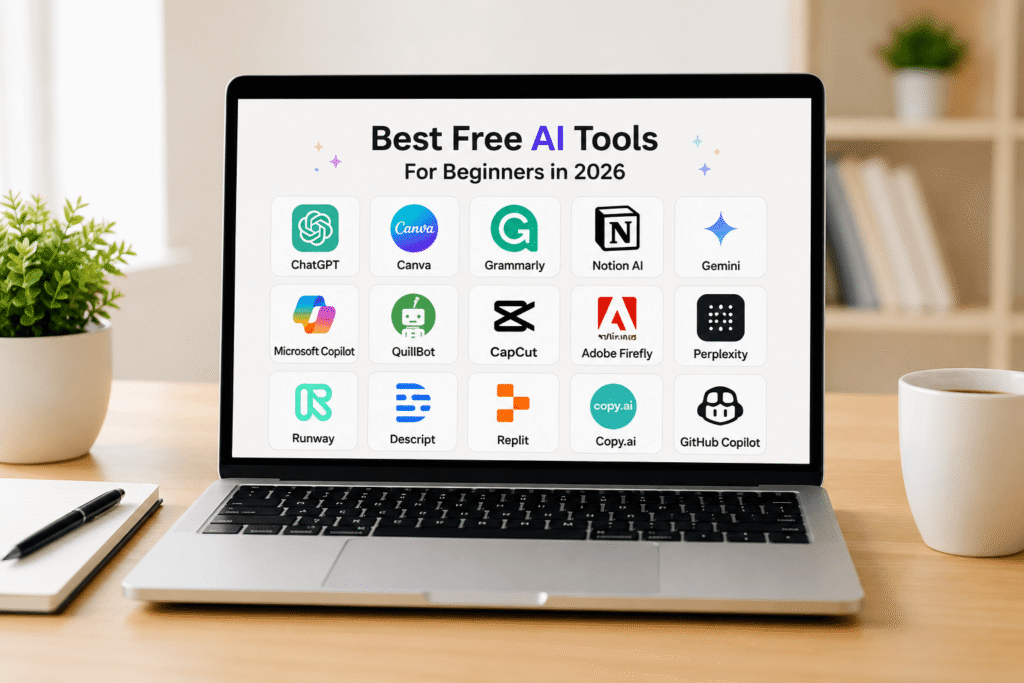
Table of Contents
Why the Best Free AI Tools for Beginners in 2026 Matter
AI tools are designed to ease work and increase productivity. Rather than spending hours on repetitive tasks, we can finish them in minutes with the help of AI.
Key benefits include:
- Faster content creation
- Improved creativity
- Better productivity
- Reduced workload
- Professional-quality output
- No advanced skills required
- Cost-effective solutions for startups and creators
From students to entrepreneurs, AI tools now allow users to achieve professional results without hiring expensive experts.
Best Free AI Writing Tools for Beginners in 2026
ChatGPT
OpenAI built one of the easiest AI assistants you can use right now. ChatGPT lets you skip the blank page and write articles, emails, scripts, or summaries instantly. It is also great for brainstorming fresh ideas and troubleshooting broken code in seconds.
Key Features
- AI-powered writing assistant
- Blog and article generation
- Email drafting
- Coding help
- Study assistance
- Brainstorming ideas
Best For
- Bloggers
- Students
- Freelancers
- YouTubers
- Small businesses
Why Beginners Love It
The setup is incredibly straightforward. All you have to do is type a question or request in everyday English, and you get a comprehensive answer right away. ChatGPT is usually the first AI tool most beginners try because it works for almost everything.
Grammarly AI
Grammarly does way more than just catch typos these days. Its built-in assistant lets you instantly clean up messy sentences, fix a harsh tone, generate fresh copy, and make your writing much easier to read.
Top Benefits
- Grammar correction
- Tone improvement
- AI rewriting
- Professional email suggestions
- Plagiarism checking
Best Use Cases
- Academic writing
- Professional communication
- Website content
- Social media captions
If you struggle with writing in English, Grammarly is easily the best place to start
Best Free AI Image Generation Tools
Canva AI
Canva is easily one of the best design platforms out there for beginners. You can use its smart features to whip up logos, thumbnails, slide decks, and social media graphics in just a few clicks
AI Features
- Magic Design
- AI image generation
- Background remover
- AI text-to-image
- Presentation creator
Why It Is Perfect for Beginners
Even users with zero design experience can create professional graphics in minutes. The whole thing works with simple drag-and-drop editing, so you do not need any actual design experience to use it.
Ideal For
- YouTube thumbnails
- Instagram posts
- Blog banners
- Business branding
- School projects
Adobe Firefly
Adobe Firefly is Adobe’s main tool for creating AI artwork, built to be simple enough for absolute beginners but powerful enough for creators.
Best Features
- AI art generation
- Text effects
- Image editing
- Background replacement
- Commercial-safe AI images
Why Beginners Use It
The tool generates professional-quality visuals simply from text prompts.
Best Free AI Video Editing Tools
CapCut AI
CapCut is easily one of the best video editors out there for beginners these days.
Features
- Automatic subtitles
- AI voiceovers
- Background removal
- One-click editing
- AI effects and transitions
Best For
- TikTok creators
- YouTubers
- Instagram Reels
- Short-form video editing
Why It Stands Out
Mobile creators especially love CapCut because editing feels simple and fast. CapCut simplifies editing, allowing beginners to create professional videos without advanced editing skills.
Runway ML
Runway is revolutionizing AI video generation.
Powerful AI Tools
- Text-to-video generation
- AI motion tracking
- Object removal
- AI cinematic editing
- Green screen effects
Perfect For
- Creative creators
- Filmmakers
- Social media marketers
- Video editors
Runway ML lets beginners spin up cinematic, high-quality videos just by typing out a description.
Best Free AI Tools for Students
Notion AI
Notion combines note-taking and AI productivity into one platform.
Features
- AI summaries
- Task organization
- Smart note generation
- Study planning
- Productivity management
Why Students Love It
It helps organize assignments, generate study notes, and improve productivity.
QuillBot
QuillBot is one of the most popular paraphrasing tools.
Main Features
- Sentence rewriting
- Grammar correction
- Citation generation
- Summarization
Best Use Cases
- Essay writing
- Research summaries
- Academic assignments
- Content improvement
Beginners can improve writing quality instantly using QuillBot’s AI rewriting capability
Best Free AI Coding Tools
GitHub Copilot Free
GitHub Copilot helps beginners learn coding faster through AI-assisted programming.
Features
- Code suggestions
- Error fixing
- Function generation
- Learning support
Programming Languages Supported
- Python
- JavaScript
- HTML
- CSS
- Java
- C++
Why Beginners Should Use It
It explains code logic and reduces learning complexity for new programmers.
Replit AI
Replit provides cloud coding with built-in AI assistance.
Advantages
- Browser-based coding
- AI debugging
- Instant deployment
- Beginner-friendly environment
Best For
- Learning programming
- Building small apps
- Practicing coding online
Best Free AI Tools for Content Creators
Descript
Descript combines AI audio and video editing into one powerful platform
Top Features
- AI voice cloning
- Podcast editing
- Automatic transcription
- Audio cleanup
- Video editing
Why It Is Beginner Friendly
Users can edit audio and video by simply editing text.
Copy.ai
Copy.ai helps users generate marketing content rapidly.
Best Uses
- Ad copy
- Product descriptions
- Blog ideas
- Social media posts
- Email marketing
Perfect For
- Affiliate marketers
- Bloggers
- E-commerce beginners
Best Free AI Search and Research Tools
Perplexity AI
Perplexity AI combines AI answers with real-time web research.
Features
- AI-powered search
- Source citations
- Research summaries
- Fast information retrieval
Why Beginners Prefer It
It delivers direct answers instead of overwhelming search results.
Google Gemini
Google Gemini is one of the strongest AI assistants integrated with Google services.
Capabilities
- AI conversation
- Research assistance
- Writing help
- Productivity tools
- Google Workspace integration
Best For
- Students
- Researchers
- Office productivity
- General AI assistance
How to Choose the Right Free AI Tool
Choosing the best AI tool depends on personal goals.
| Purpose | Recommended AI Tool |
| Writing Blogs | ChatGPT, Copy.ai |
| Graphic Design | Canva AI |
| Video Editing | CapCut AI |
| Coding | GitHub Copilot |
| Studying | Notion AI |
| Research | Perplexity AI |
| Social Media Content | Canva AI, Descript |
| Affiliate Marketing | Copy.ai |
Beginners should start with one or two tools and gradually explore advanced features.
Tips for Using AI Tools Effectively
Learn Prompt Writing
Better prompts generate better AI results. Be specific and clear when giving instructions
Combine Multiple AI Tools
Many creators combine tools for a better workflow:
- ChatGPT for scripts
- Canva for thumbnails
- CapCut for editing
- Descript for voiceovers
Always Edit AI Content
AI helps create drafts quickly, but human editing improves originality and accuracy.
Focus on Productivity
Use AI to save time rather than replace creativity entirely.
Future of Free AI Tools
The AI industry is evolving rapidly. In 2026, free AI tools will become smarter, faster, and more accessible. Future developments will likely include:
- Better voice assistants
- Realistic AI video generation
- Smarter automation
- Personalized AI workflows
- AI-powered websites and apps
For beginners, this creates endless opportunities to learn skills, build businesses, and create content without huge investments.
Frequently Asked Questions
What is the easiest AI tool for beginners?
ChatGPT is usually the first AI tool most beginners start with because it is simple, fast, and useful for almost everything. You can use it for writing, brainstorming ideas, learning new topics, coding help, and improving productivity without needing technical skills.
Are free AI tools safe to use?
Most popular AI tools are generally safe to use, especially trusted platforms like ChatGPT, Canva, Grammarly, and Google Gemini. However, it is still a good idea to avoid sharing sensitive personal, financial, or private information while using AI tools online.
Can beginners use AI without coding?
Absolutely. Most modern AI tools are designed specifically for beginners and work with simple text instructions. You do not need coding knowledge to create content, edit videos, design graphics, or use AI for daily productivity tasks.
Final Thoughts
The right free AI tools are completely changing how we handle work, school, and side hustles these days. Whether you are trying to launch a YouTube channel, start a blog, pick up coding, or just get more done in less time, AI skips the learning curve and does the heavy lifting for you.
Instead of fighting with complicated tech, apps like ChatGPT, Canva, CapCut, and Perplexity give you advanced features right out of the box. You do not need a massive budget or a tech degree anymore to produce high-quality work that looks completely professional.
Finding the right tools early on is a game-changer. It is the easiest way to free up your schedule, automate the boring stuff, and build the kind of digital skills that will actually matter down the road.